HTML fundamentals / 01
Getting started with HTML and VS Code
Learn what HTML does, install Visual Studio Code, and write headings and paragraphs.
On this page
What is HTML?
HTML stands for HyperText Markup Language. It is a markup language, rather than a general-purpose programming language, that tells a browser how a web page's content is structured.
HTML consists of elements that mark up pieces of content. Those elements can create links to other pages, emphasize words, and organize a document. The structure can be simple or complex depending on what you want to build.
Set up Visual Studio Code
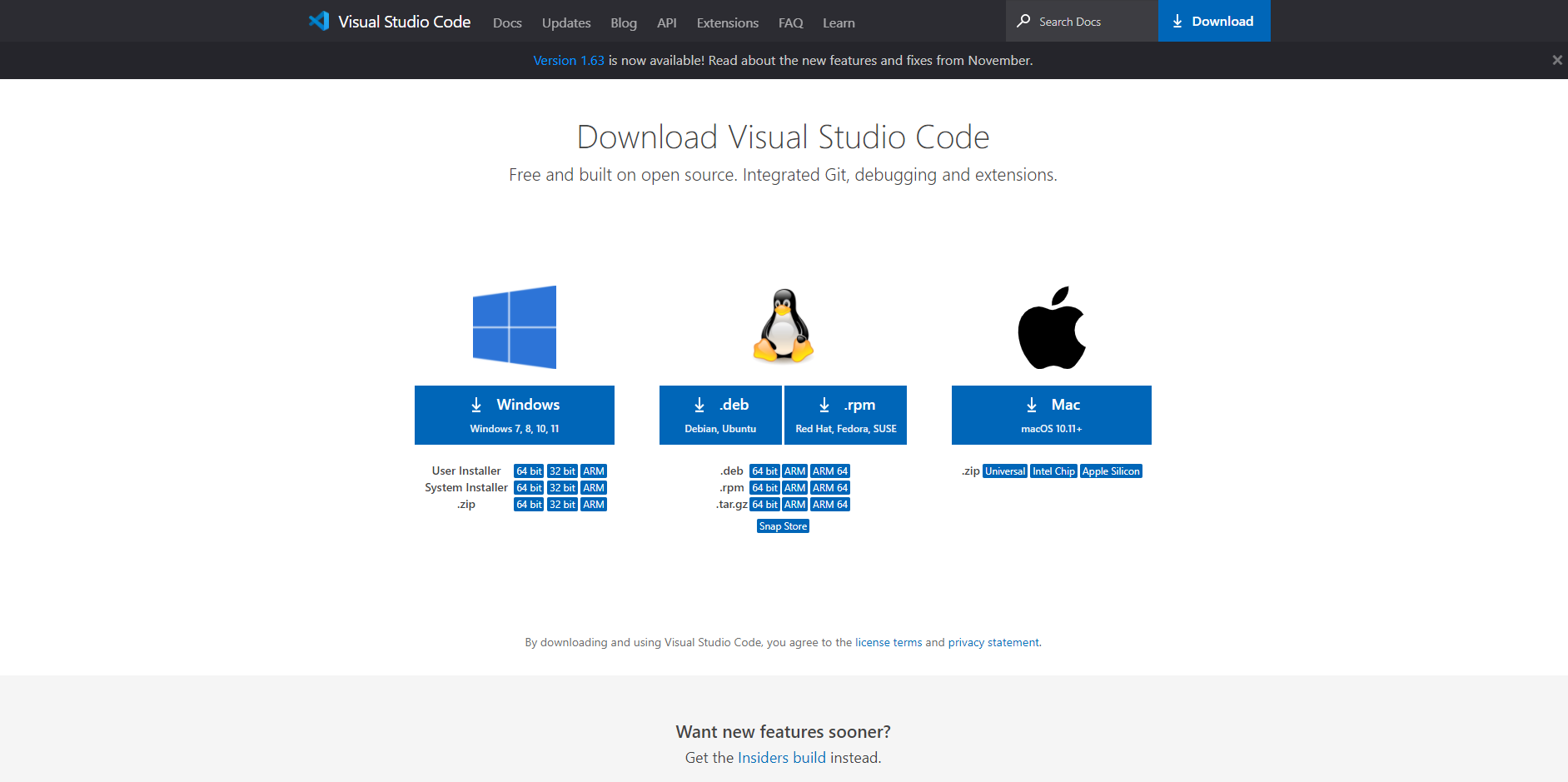
First, visit the Visual Studio Code download page and choose the version for your computer.
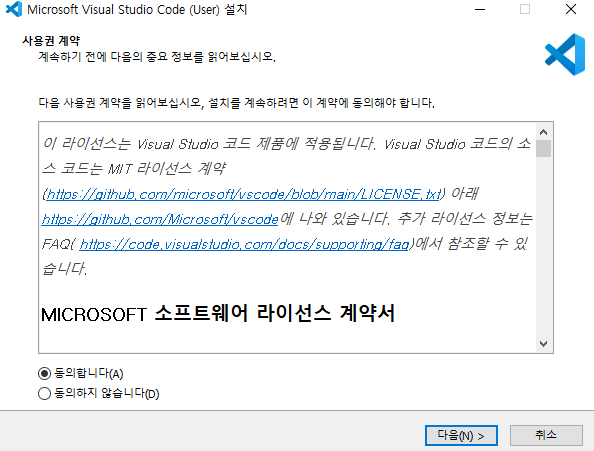
Open the downloaded installer and accept its license agreement.
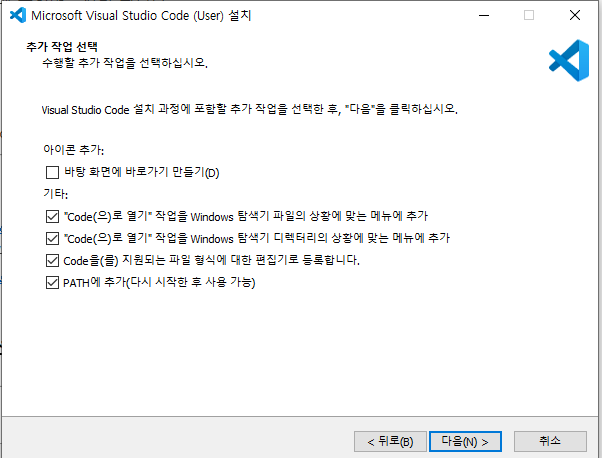
In the original setup, I selected the first and second optional tasks for convenience.
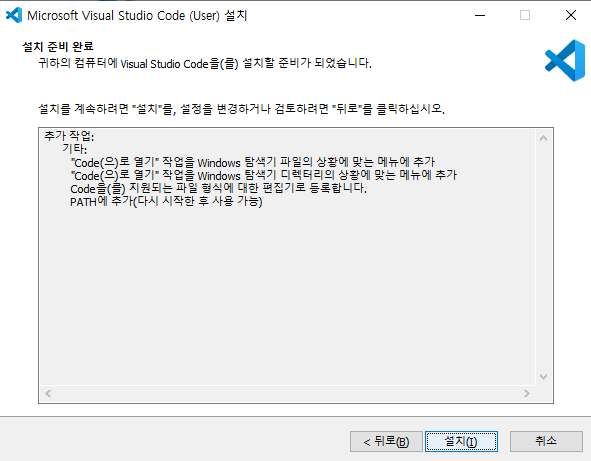
Click Install. Once installation finishes, the editor is ready.
Basic tags
Headings
HTML provides heading levels from h1 to h6. Browsers ordinarily display lower-numbered headings more prominently. h1 is commonly used for the main title, with subsequent levels organizing increasingly nested sections.
For example: <h1>a</h1>, <h2>a</h2>, through <h6>a</h6>.
Translation note: the original example's closing
h6tag was incomplete. It is corrected here. Choose heading levels for document structure, not merely for their default text size.
Paragraphs
The p element marks a paragraph. If you are new to HTML, think of headings as the section titles and paragraphs as the body text beneath them.
Reference: MDN's original heading-element documentation.
Moved here from Tistory
I migrated this post from my Korean Tistory blog, I am Jason Lee, to this website and translated it into English. My writing and projects now live together in one place.
The original publication date, code examples, and screenshots are preserved. Editorial notes clarify known issues in the original material.
Original post on Tistory English edition · Aug 30, 2026