Case study · Chrome extension · Sep 2026 – Oct 2026
Flozable Focus
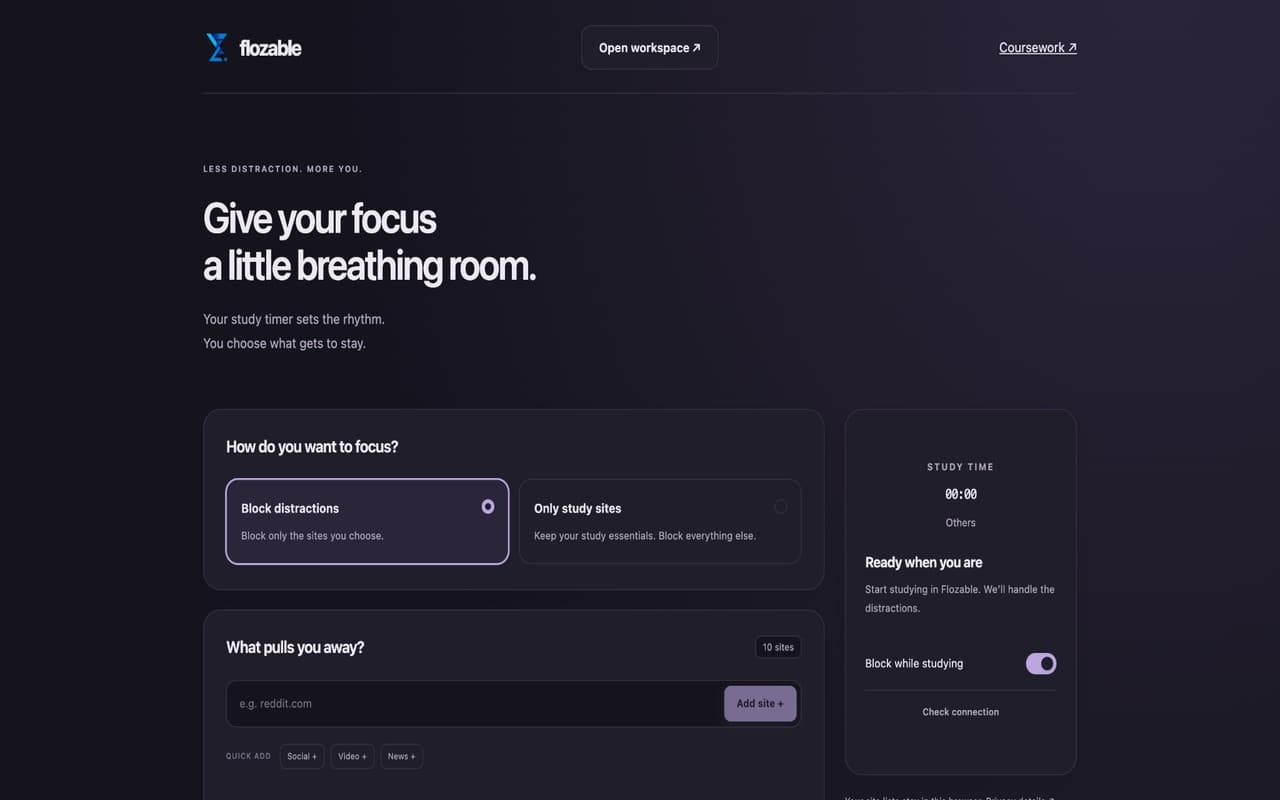
A Manifest V3 extension with 70 users on the Chrome Web Store. It gathers deadlines from Canvas, Blackboard, and Gradescope into one dashboard and blocks distracting sites during a Flozable focus session.
- Users
- 70 on the Chrome Web Store (Nov 2026)
- Tests
- 216 passing
- Version
- 3.4.6, Manifest V3
- Site access
- Requested per site at runtime
Overview
Students’ deadlines are scattered across school systems. Flozable Focus is a Manifest V3 Chrome extension that gathers assignments from Canvas, Blackboard, and Gradescope into one dashboard, sends deadline reminders, and can block distracting sites while a Flozable study timer runs. It works without a Flozable account, and syncing is optional.
My role
I built it alone: about 6,600 lines of first-party JavaScript, TypeScript, HTML, and CSS, with the matching connection code on the Flozable website.
How it works
- School siteCanvas, Blackboard, or Gradescope, using the student’s own session
- Session readerInjected only with permission; checks account and origin
- Local storeCached tasks and an account-scoped reminder ledger
- DashboardReact sidebar, reminders at 48 h, 24 h, 1 h, and 15 min
- Optional syncMetadata only, after a preview
Engineering decisions
Staying correct when Chrome kills the service worker
- Problem
- Manifest V3 service workers can stop at any time and lose everything in memory, but a focus session and its blocked tabs have to keep working.
- Approach
- State lives in extension storage, and chrome.alarms drives periodic work instead of in-memory timers. Tests recreate the worker to check that focus sessions survive, that signed-out polling stays paused, and that an explicit opt-out still holds.
- Trade-off
- Every handler has to reload its state first, which adds code and storage reads. A browser restart deliberately begins from a safe state rather than resuming protection.
Importing coursework without touching anyone else’s data
- Problem
- The extension reads school systems through a logged-in session, so a shared computer or a switched account must never mix students’ data.
- Approach
- It needs no API tokens. Readers run only on sites the student has allowed. Canvas pagination links are rejected if they change origin or endpoint, or repeat. If the account changes mid-import, or between preview and import, the write is refused.
- Trade-off
- Failing closed means an import sometimes stops and asks the student to retry. Imports are also bounded, so unusually large course lists can be cut short.
Blocking sites without breaking pages
- Problem
- Redirecting a blocked tab loses the student’s place, and a dropped connection shouldn’t leave tabs blocked forever.
- Approach
- Blocking uses an overlay that keeps the exact URL. Overlays hold short leases, and they release when the timer stops, the connection fails past a brief grace period, or the student revokes permission.
- Trade-off
- An overlay is easier to bypass than a network-level block. This is a focus aid rather than parental control, so I chose the approach that can’t lose someone’s work.
Avoiding needless background requests
- Problem
- A timer check in every tab could multiply requests to the website and waste battery.
- Approach
- The extension prefers one responsive Flozable tab per origin, polls every 30 seconds while a session runs and every 60 seconds when idle, and pauses polling until the student signs in again after a signed-out response. Transient failures back off.
- Trade-off
- Status can lag by up to a polling interval. Counter-based tests check request counts, but I don’t have production CPU measurements.
Testing
All 216 tests pass: 193 controller, parser, and bridge tests on node:test, and 23 React interaction tests. Fixtures cover multiple-account cases, foreign pagination links, and worker restarts. The tests run in jsdom and against fixtures, so real school sites still need manual checks.
What I’d do next
- Track activation and retention, since the store’s user count doesn’t show how many students stay.
- Run the suite in CI on every push.